Random Order Generator
The random order generator shuffles your list so that every possible order is equally likely: 120 orders for 5 items, 3,628,800 for 10. Paste your items, one per line, and press Shuffle the list.
Updated
How the random order generator shuffles a list
Each non-empty line is one item. The list is shuffled with the Fisher–Yates method: starting from the last item, each one swaps places with a randomly chosen item at or before its own position.
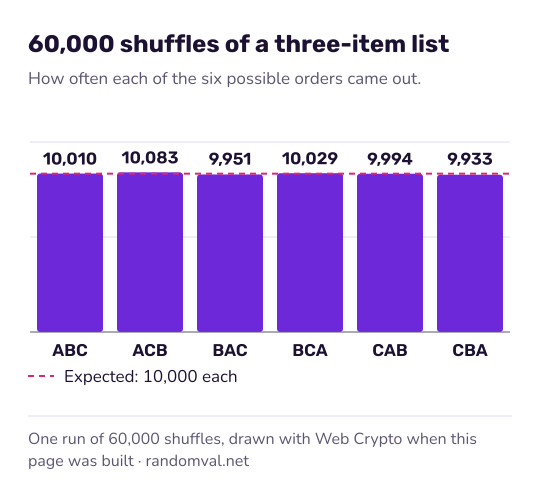
Every possible order is equally likely. The number of orders is the factorial of the list length: 6 for 3 items, 120 for 5 and 3,628,800 for 10.
The result is numbered from 1 and can be copied, with or without the numbers, or downloaded as a text file. Press the button again for a fresh shuffle; the previous order has no influence on the next. Each swap uses the browser's cryptographic random generator, as described in how our randomness works.
What people put in random order
- Speaking and presentation order for a class or a meeting.
- Draft and turn order for games and fantasy leagues.
- Task order when everything on the list has to be done anyway.
To give each name a number instead, use the number generator with names. To split the list into groups, use the team generator. If you only need the first name out of the list, the random winner generator draws one at a time.
Sources
- Wikipedia: Fisher–Yates shuffle — the shuffling method the page uses (checked October 16, 2026)
- Wikipedia: Factorial — the number of orders of n items is n factorial (checked October 16, 2026)