Random Sequence Generator
The random sequence generator builds a string of random characters from one of nine sets, from binary (2 characters) to mixed-case letters and digits (62), or from characters you type. Choose the set and the length, then press Generate Sequence.
Updated
Generated Sequence:
How the random sequence generator picks each character
Choose a character set and a length. For each position the page draws one character from the set, independently and with equal chances, so characters can repeat. Grouping only inserts spaces for readability; it does not change the characters.
With a custom set, characters you type more than once are more likely to be drawn: in “aab”, a comes up two times in three. Each pick is an unbiased draw from the browser's cryptographic random generator, as described in how our randomness works.
Character sets and bits per character
A larger set packs more possibilities into each character. The bits per character are the base-2 logarithm of the set size, the measure used for password strength.
| Character set | Characters | Bits per character |
|---|---|---|
| Binary | 2 | 1 |
| Digits | 10 | 3.32 |
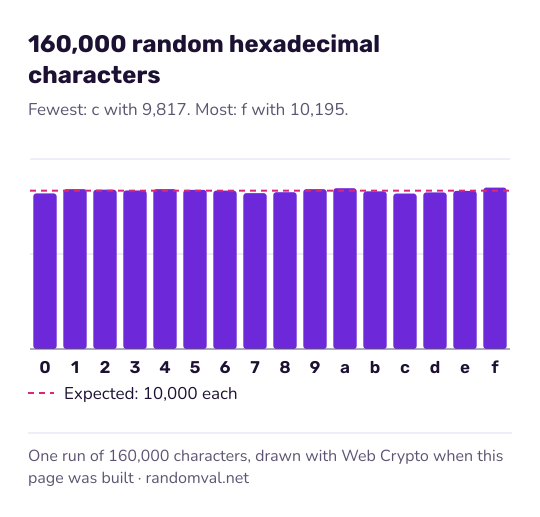
| Hexadecimal | 16 | 4 |
| Lowercase or uppercase letters | 26 | 4.70 |
| Special characters | 29 | 4.86 |
| Lowercase letters and digits | 36 | 5.17 |
| Mixed-case letters | 52 | 5.70 |
| Mixed-case letters and digits | 62 | 5.95 |
A sequence of n characters from a set of k has kn possible values. Ten digits give 10,000,000,000 possibilities; 16 hexadecimal characters give 264.
Example: a 16-character hex code in groups of four
Choose Hexadecimal (0-9, a-f), set the length to 16 and tick Format output in groups with a group size of 4. The result looks like 3f9a 0c27 b81e 54d6.
Hexadecimal uses 4 bits per character, so this code holds 64 bits: about 1.8 × 10¹⁹ possible values. The spaces are only for reading. Untick Format output in groups and the same code shows as one block.
The sequences suit codes, sample IDs and placeholders. For whole rows of fake records, use the test data generator; for numbers in a range, the random number generator. To put a list of your own items in random order, use the random order generator.
Questions about the random sequence generator
Can a character appear more than once?
Yes. Each position is a new draw from the whole set, so repeats are normal. In a 10-digit sequence the chance that all ten digits are different is only 0.036%.
How do I make several sequences at once?
Press Generate Multiple once to show the count box, enter how many sequences you need (up to 100), then press Generate Multiple again. Each sequence goes on its own line, with the length and grouping you set.
Can I use a sequence as a password?
The characters come from the browser's cryptographic generator, so a long sequence from a large set is hard to guess: 16 characters from the 62-character set carry about 95 bits. For a password you have to remember, the word password generator builds one from random words instead.
Sources
- Wikipedia: Hexadecimal — the 16 characters 0 to 9 and a to f (checked October 16, 2026)
- Wikipedia: Password strength — the bits-per-character formula, log2 of the set size (checked October 16, 2026)