Royal Name Generator
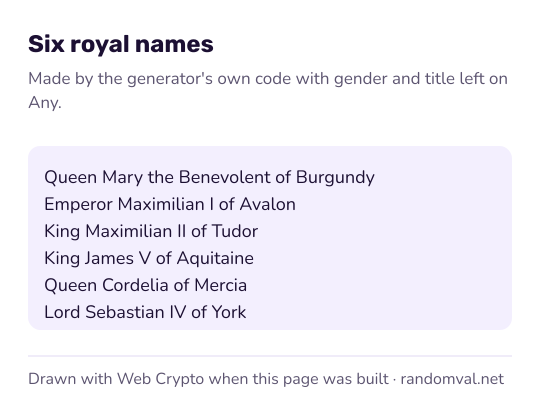
The royal name generator builds a name for a fictional monarch from a title, a first name and a realm, and often adds a numeral or an epithet. Choose a gender and a title, or leave them on any, and press the button.
Updated
How the royal name generator builds a name
A royal name is assembled from parts. The page draws a title (King, Queen, Prince, Princess, Duke, Duchess, Emperor, Empress, Lord or Lady) and a first name from a list of 20 for each gender. A realm from a list of 20 always ends the name, as in “of Aquitaine”.
About six names in ten get a Roman numeral from I to X, and about four in ten get an epithet such as “the Bold” or “the Just”. The two are drawn separately, so about a quarter of names get both and about a quarter get neither. That makes 352,000 possible names for each gender.
If you choose a title, the gender follows from it. Each part is an unbiased draw from the browser's cryptographic random generator, as described in how our randomness works.
How real kings and queens got their numbers
Real monarchs carry a regnal number to tell apart rulers of the same name in the same office. The count does not always start at the beginning. Kings of England are counted from the Norman Conquest, so the son of Henry III became Edward I, although three Edwards had reigned before 1066.
Those earlier Edwards were told apart by epithets instead, the job “the Bold” or “the Just” does here. The generator picks its numeral at random, so it will happily crown a Queen Guinevere X, a name no real list contains.
Everything here is fiction
The first names and some of the realm names are borrowed from European history, but the combinations are random and do not describe real monarchs. The realms mix legend (Avalon, Camelot), old kingdoms (Wessex, Castile) and royal houses (Tudor, Windsor).
The history panel keeps your last ten names, newest first, so you can go back to one you passed over. Clearing it or reloading the page empties it.
Example: a royal family for a fantasy story
Set the title to Queen and press the button for the ruler, then switch to Prince and Princess for her children. A press might give “Queen Matilda II the Just of Aquitaine”. Keep the realm from the first result and change it in the others by hand, so the family shares one kingdom.
Courtiers need plainer names: the British name generator adds titles such as Sir, Lady and The Honourable. The random plot generator can supply a problem and a twist for the court, and the name generator covers commoners from ten origins.
Questions about the royal name generator
Are these real kings and queens?
No. The first names and some realms come from European history and legend, but each part is drawn at random. A result such as “King Henry VIII of Tudor” can come up by chance; it does not mean the page knows anything about the real Henry VIII.
Can I choose the realm?
No. The realm is always drawn from the list of 20. For a realm of your own, the place name generator makes up names for towns, rivers, forests and mountains.
Sources
- Wikipedia: Regnal number — how real monarchs with the same name are numbered (checked October 16, 2026)