Random Email Generator
The random email generator makes test addresses at six reserved domains, such as example.com and mail.test, so mail sent to them reaches nobody. Pick a domain and up to 100 addresses, then press Generate.
Sources: RFC 2606, IANA Updated
How to make a test email address that reaches nobody
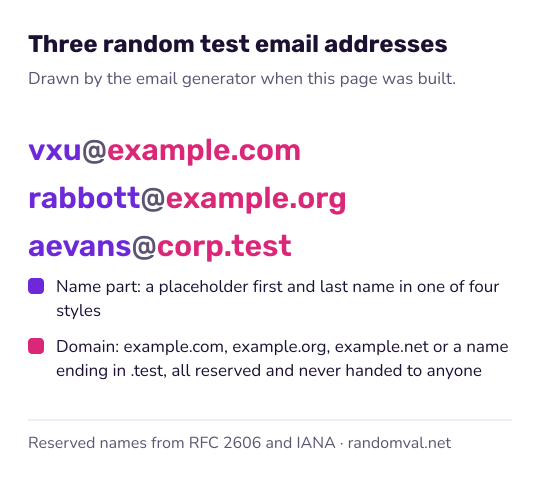
The random email generator builds each address in three steps. The name lists are the same 40 first names and 26 last names that the test data generator uses.
- Draw a first name and a last name from the lists, for example Maya and Jensen.
- Draw one of four patterns for the part before the @ sign.
- Add the domain you chose. With “Mix of all six”, the domain is drawn at random for each address.
| Pattern | Result for Maya Jensen |
|---|---|
| first.last | [email protected] |
| initial + last | [email protected] |
| first_last | [email protected] |
| first.last + two digits | [email protected] |
Which email domains are reserved for testing
Two kinds of domain are safe for made-up addresses, both reserved by RFC 2606. IANA, which manages the DNS root zone, keeps the example domains for use in documentation.
| Domain | Status |
|---|---|
| example.com, example.org, example.net | Reserved for use in documentation and examples. They cannot be registered by anyone. |
| mail.test, corp.test, shop.test | Names under .test, a top-level name reserved for testing that is not part of the public DNS. |
For whole rows of test data, with a name, phone number and address that go with each email, use the test data generator. For other single values, the phone number generator makes 555-01XX numbers and the random address generator makes addresses in made-up towns. Names with more variety come from the fake name generator.
Questions about the random email generator
Do these addresses receive mail?
No. This page makes address-shaped text; there is no inbox behind it. It is not a temporary or disposable mailbox service.
Why not gmail.com or outlook.com?
A made-up address at a real mail provider can belong to a real person, or will one day. Test systems send real mail more often than anyone plans for, and a made-up Gmail address means a stranger receives it.
Reserved domains cannot be registered by anyone, so that cannot happen.
What is the .test ending?
A top-level name reserved for testing. It is not part of the public DNS, so an address such as [email protected] does not lead to a real mail server. Use it when you want it to be obvious that the data is test data.
Can I use them to sign up for a website?
Only if the site does not ask you to confirm the address, since no confirmation mail can arrive. For that you need a mailbox you control. If a test account also needs a password, the password generator with words makes one you can type.
Are the addresses unique?
Not guaranteed. The names come from 40 first names and 26 last names in four patterns, and each address is drawn independently, so a large batch can contain repeats. If your test needs unique addresses, remove duplicates after copying.
Sources
- RFC 2606: Reserved top level DNS names — reserves example.com, example.org and example.net, and the .test ending (checked October 16, 2026)
- IANA: Example domains — IANA's page on the example domains it keeps for documentation (checked October 16, 2026)